 Getting Started
Configuration
Addons
Credits
Getting Started
Configuration
Addons
Credits
Half-Life 2: Sandbox++ (HL2:SB++) is a remake of Half-Life 2: Sandbox, available for Android, Linux and Windows computers, using a modified Source Engine by nillerusr.
Lua Modding is supported, meaning you can create cool mods, just like in Garry's Mod.
SB++ also offers many addons made by the developers and the community. You can get addons for Half-Life 2: Sandbox++ on their Discord Server.
Half-Life 2: Sandbox++ has a bunch of features in-game. There is too many features, but here's the list of the main features:
To install Half-Life 2: Sandbox++, you should follow these steps:
Half-Life 2: Sandbox++ also includes Linux, Windows and MacOS versions of the
game.
That means you can play Half-Life 2: Sandbox++ on
Linux/Windows/MacOS computers along with Android devices. Here's the
installation tutorial for Linux and Windows computers:
After you will install Half-Life 2: Sandbox++, you wanna create your first server.
Press "Create server" button. You will see a little collection of the maps.
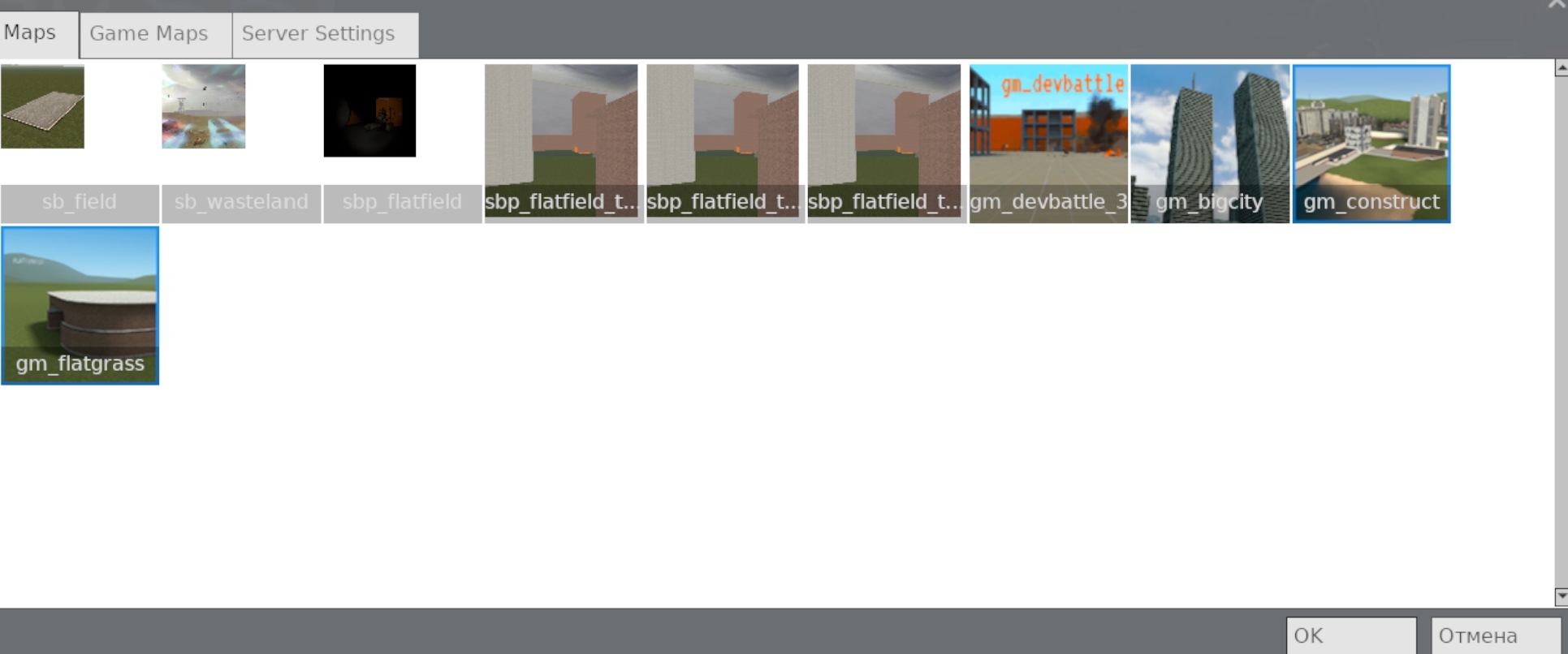
You can click the image of the maps to select the one you have clicked.
Or you can click "Game maps" button to see a list of singleplayer Half-Life 2 maps, Counter-Strike: Source maps and etc...
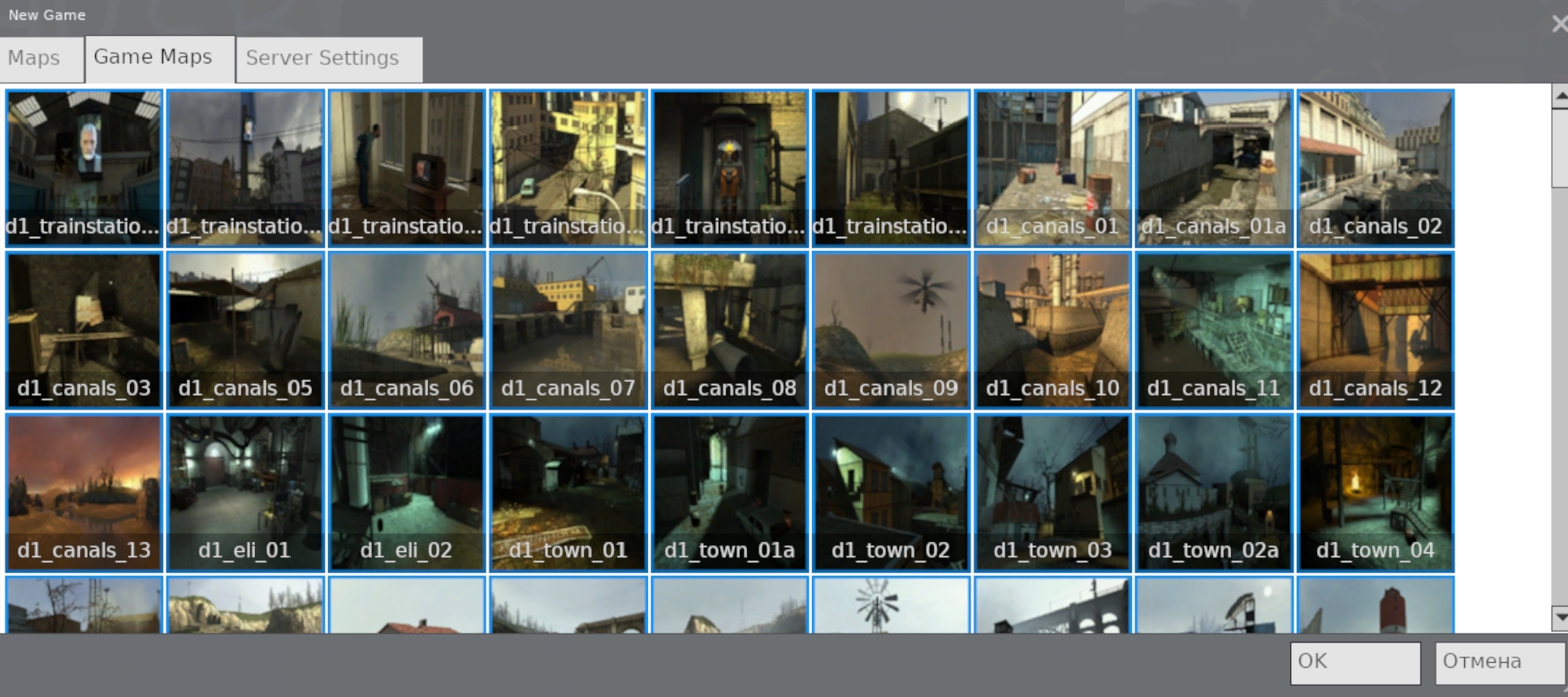
Like with maps section, you can click the image of the maps to select the one you have clicked.
Now, you can press "OK" button to start the server or head over to the server settings.
Now, click "Server Settings"
There you can configure server name, max count of players, password and gamemode.
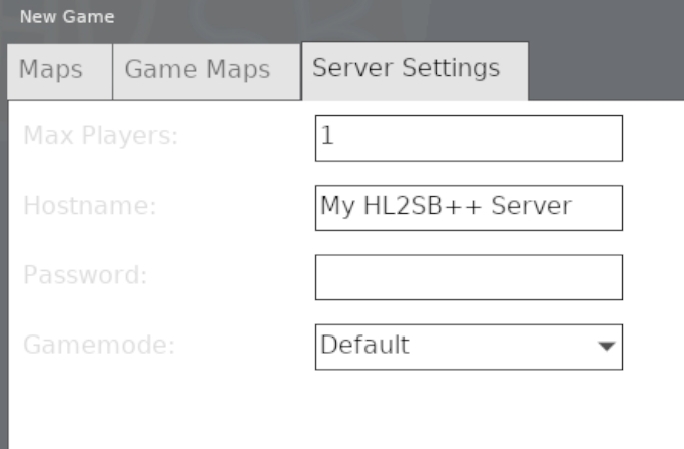
 If you're up to
playing with your friend, you should set maxplayers count from one to 32.
Friend will not be able to join if maxplayers count is 1.
If you're up to
playing with your friend, you should set maxplayers count from one to 32.
Friend will not be able to join if maxplayers count is 1.
You can set server hostname, maximum player count, password (if
needed) and gamemode.
There are several gamemodes:
When you will finish configuring the server settings, you can press "OK" button in the bottom left corner to start the game.